How to Build a Content Calendar Step by Step in 2026
supawriter

A content calendar turns “we should post more” into a system your team can run every week. Instead of scrambling for ideas, you plan topics, keywords, assets, owners, and publish dates in one place. And when you pair that calendar with an engine like Supawriter, you can move from planning to publishing faster because your workflow, SEO, writing, visuals, and scheduling sit in one tool.
What a content calendar is (and why it matters)
A content calendar (sometimes called an editorial calendar) is a schedule that shows what you’ll publish, where you’ll publish it, and when. It can cover blog posts, landing pages, email, webinars, video, and social media.
Content calendar vs editorial calendar vs social media calendar
People use these terms interchangeably, but here’s a simple way to think about them:
- Content calendar: the overall plan across channels (blog, email, social, video)
- Editorial calendar: usually focused on long-form publishing (blog, newsletter)
- Social media calendar: your platform-by-platform posting schedule (LinkedIn, X, Instagram, TikTok)
If you’re a small team, start with one calendar and add channel-specific views later.
What a good calendar includes (fields and views)
Most calendars include:
- title/topic
- publish date
- owner
- status (brief, drafting, editing, scheduled, live)
Many teams also add SEO and distribution details, like keyword targets and promotion tasks. Semrush lists basic “simple calendar” fields as a baseline: titles, publication dates, team members, and statuses (Semrush).
Benefits for consistency, SEO, and cross-team collaboration
A content calendar helps you:
- publish consistently instead of relying on last-minute pushes
- coordinate across a team (writer, editor, designer, SEO, social)
- plan SEO intentionally by mapping topics and keywords over weeks and months
- build content journeys instead of one-off posts
Dotdigital describes a content calendar as a way to plan, organize, and track content so you deliver the right content at the right time (Dotdigital).
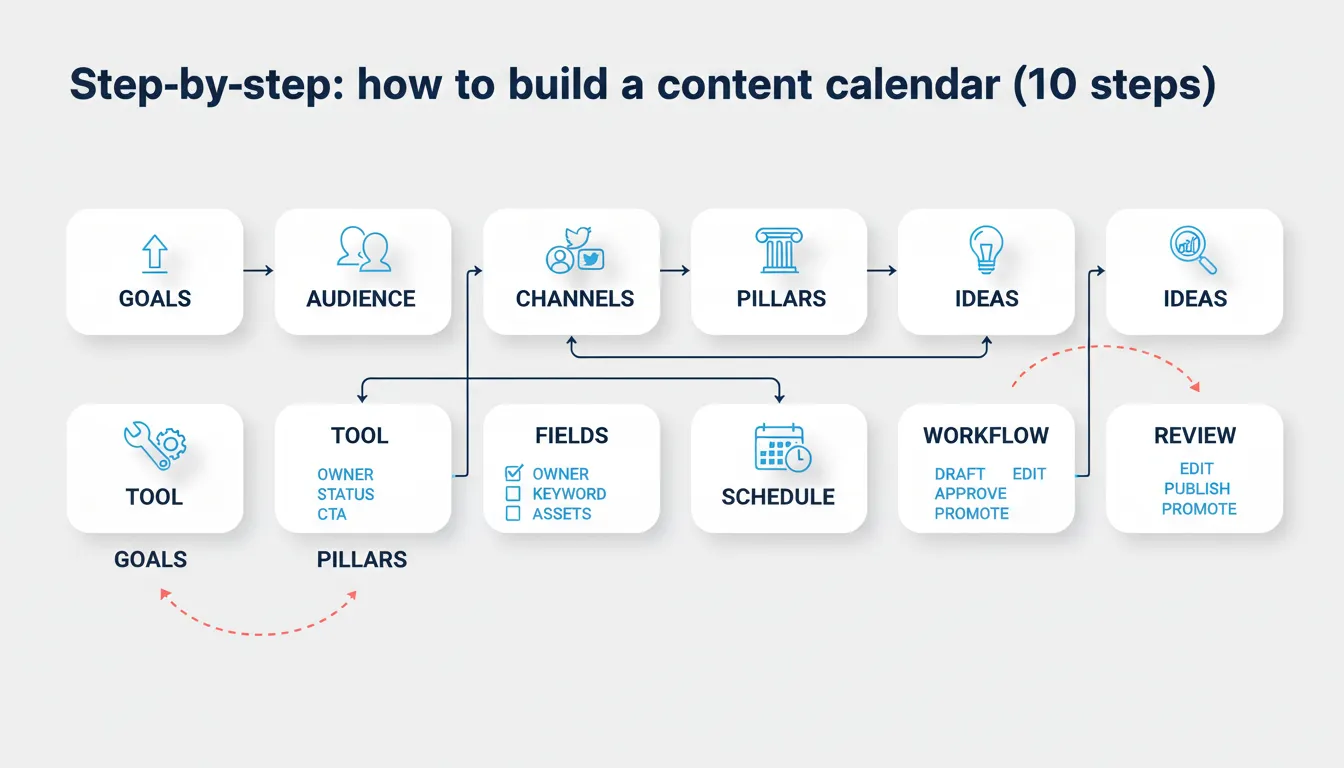
Step-by-step: how to build a content calendar (10 steps)
Use this process whether you’re building a simple Google Sheets calendar or running a larger content program.
Start with goals, audience, and channel mix
- Define your goal(s). Pick 1–2 primary outcomes for the next quarter, such as:
- organic traffic to product pages
- demo requests from SEO content
- newsletter growth
- brand authority in a category
- Define your audience and journey stage. Your calendar should include a mix of:
- problem-aware content (education)
- solution-aware content (how to do X with Y approach)
- product-aware content (comparisons, use cases, templates)
If you need help tightening this, use a simple framework like the one in content strategy step-by-step.
- Choose your channels. Start with what you can sustain. Many teams do better with:
- 1 primary channel (blog or YouTube)
- 1 distribution channel (LinkedIn or email)
- 1 repurposing motion (turn each post into 3–5 social posts)
Build your backlog, pillars, and SEO keywords
- Create content pillars (themes). Example for B2B SaaS:
- use cases
- best practices/how-to
- comparisons and alternatives
- templates
- industry insights
- Build an idea backlog. Pull ideas from:
- sales and support questions
- competitor topics
- “People also ask” questions
- internal product releases and campaigns
- Do keyword research (lightweight is fine). For each blog idea, pick:
- 1 primary keyword (the main query)
- 2–5 secondary keywords (close variants)
- search intent (informational, commercial)
If you want a fast refresher, see what SEO content is and how it works.
Schedule, assign owners, and set a workflow
-
Choose a tool and create your template. Dotdigital notes most teams can start with Google Sheets or Excel, then upgrade if they need more advanced collaboration and tracking (Dotdigital).
-
Set a realistic cadence. Pick a schedule your team can hit for 8–12 weeks straight. Consistency beats bursts.
-
Add the operational fields that prevent bottlenecks. Airtable calls out building a workflow and approval process, assigning ownership and deadlines, and planning promotion and distribution as core steps (Airtable).
-
Review monthly and adjust. Keep your calendar flexible. Leave room for:
- product launches
- industry news
- high-performing topics worth updating/expanding
A practical tip: if your calendar keeps slipping, don’t just “try harder.” Reduce scope (fewer posts), tighten ownership, or simplify approvals using a checklist like the one in our on-page SEO workflow.
Choose your format and tool (Sheets, Notion, Supawriter, and more)
Your best tool is the one your team will actually keep updated.
Spreadsheet calendars (Google Sheets/Excel)
Best for solo marketers, early-stage startups, and simple blog schedules.
Strengths:
- fast to set up
- flexible columns
- easy to share
Limits:
- manual status updates
- no built-in workflow
- easy to create version confusion
If you’re building in Sheets, create two tabs:
- Backlog (ideas, keywords, priority)
- Publishing calendar (dates, owners, status)
Database and project tools (Notion, Airtable, Asana, Trello)
Best for teams that need approvals, multiple views, and clearer ownership.
Strengths:
- better collaboration
- multiple views (calendar, kanban, table)
- assignments, due dates, automation
Limits:
- can turn into busywork if you over-customize
- writing and SEO still happen elsewhere
Airtable’s guide recommends connecting the calendar to other tools and planning promotion alongside creation so publishing isn’t the finish line (Airtable).
All-in-one content ops with Supawriter (write, optimize, schedule, publish)
If you want a content calendar that actually helps you ship work, Supawriter is more than a place to store dates.
It’s an AI-powered content engine with an integrated CMS that helps you plan, write, optimize, and publish.
Key advantages for calendar execution:
- AI writing for long-form content that matches brand voice
- SEO optimization (keyword targeting, meta tags, internal linking)
- smart scheduling (publish frequency and AI-generated calendar suggestions)
- real-time SERP analysis and fact verification for research-heavy topics
- contextual visuals and AI image creation so posts aren’t blocked on design
- publishing workflows and deployment to any website
Best for B2B teams that want the calendar tied directly to production, not a separate spreadsheet that requires copy-pasting between tools.
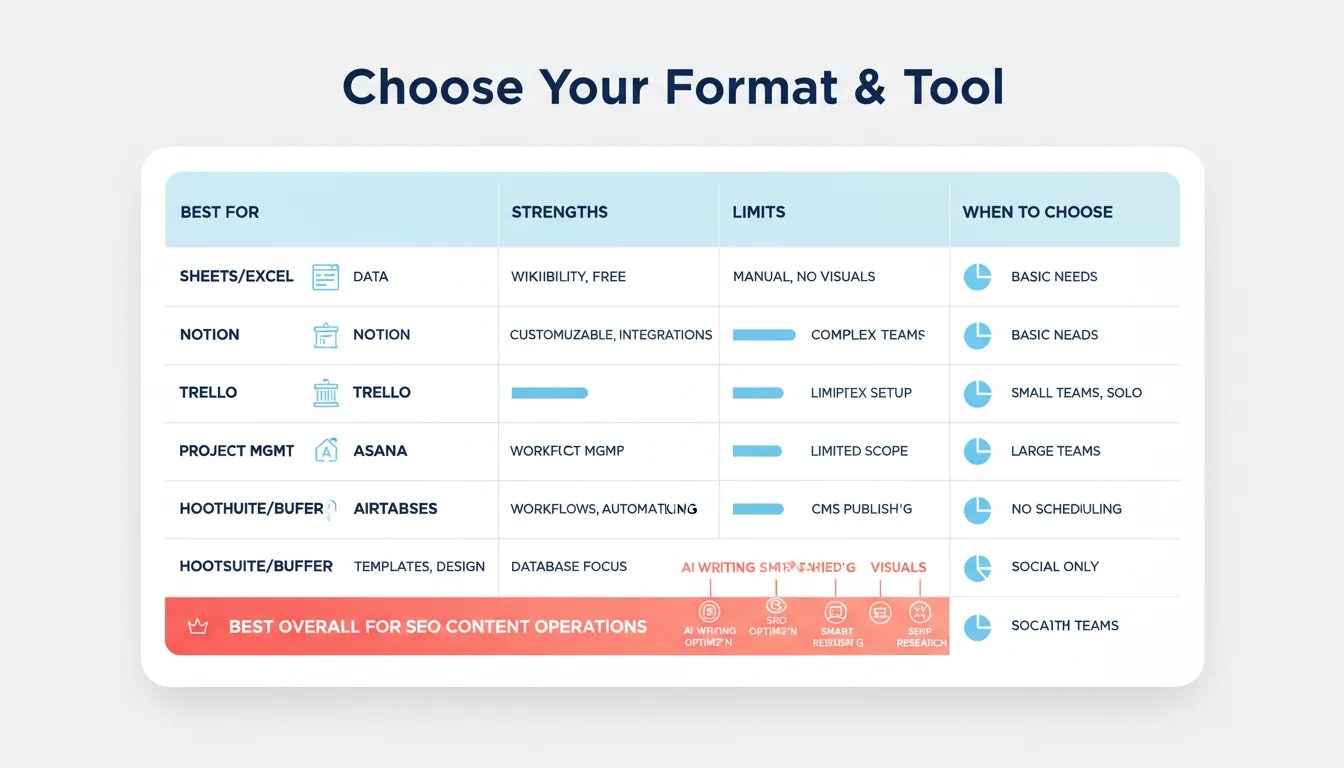
Quick tool decision table
Use this to decide quickly.
| If you need… | Start with… | Upgrade when… |
|---|---|---|
| A simple posting schedule | Google Sheets/Excel | You have multiple contributors and missed handoffs |
| Better workflow visibility | Notion/Trello/Asana | You need database fields, automation, and multi-channel views |
| Multi-view database + automation | Airtable | You want writing, SEO, and publishing in the same system |
| Calendar tied to writing + SEO + publishing | Supawriter | You want to scale output without scaling headcount |
If you’re also evaluating AI help for content production, compare approaches in AI writing tools and how teams use them.
Templates and examples you can copy
You don’t need a fancy template to start. You need the right fields and a cadence you can keep.
A simple blog content calendar example
Here’s a realistic monthly blog example (2 posts per week):
- Week 1: 1 how-to, 1 template
- Week 2: 1 comparison, 1 case study/use case
- Week 3: 1 thought leadership post, 1 how-to
- Week 4: 1 update/refresh old post, 1 problem-solution guide
This mix keeps your calendar balanced across intent types and avoids publishing eight top-of-funnel posts in a row.
A social media content calendar example (weekly cadence)
A simple weekly social plan that supports each blog post:
- Mon: post an insight from the article
- Tue: share a quote, stat, or mini-framework
- Wed: post a short how-to thread or carousel
- Thu: publish the main article and share it
- Fri: repurpose into a checklist and ask a question
You can do this across LinkedIn and X with small formatting changes.
Recommended columns to add for SEO and promotion
Add these columns to prevent rework and “we published but nobody promoted it.”
| Column | Why it matters |
|---|---|
| Primary keyword | Keeps each post mapped to a clear query |
| Secondary keywords | Helps coverage without keyword stuffing |
| Search intent | Aligns format (guide vs template vs comparison) |
| URL slug | Prevents last-minute URL changes |
| CTA | Ensures every post supports the goal |
| Promotion checklist | Makes distribution repeatable |
| Update date | Creates a built-in refresh rhythm |
Semrush also recommends adding items like primary/secondary keywords, URL slug, and metadata fields for blog posts when you customize your calendar (Semrush).
Common mistakes to avoid (and how to keep it running)
A calendar is only useful if it stays current and your team trusts it.
Overplanning and unrealistic cadence
The most common failure mode is building a beautiful calendar you can’t execute.
Fix it by:
- starting with fewer posts
- reusing formats (how-to, template, comparison)
- repurposing each long-form post into multiple social posts
No owners, no deadlines, no approvals
A content calendar without ownership becomes a wish list.
Minimum viable workflow:
- one owner per asset
- one editor/approver
- one due date for “draft complete” and one for “publish”
Not reviewing performance and updating the plan
If you never review, your calendar drifts away from what’s actually happening.
Do a 30-minute monthly review:
- what published?
- what slipped and why?
- which posts drove traffic, signups, or qualified leads?
- what should you refresh next month?
Content Marketing Institute’s 2025 B2B benchmarks say fewer than a third of B2B marketers rate their content strategy as extremely or very effective. Among teams that rate it moderately effective or worse, a lack of clear goals is one of the top reasons (Content Marketing Institute). A well-run calendar doesn’t fix everything, but it does make goals, owners, and deadlines visible.
Once you have your first version, the next step is making execution easier. With Supawriter, you can generate a realistic schedule, write long-form posts aligned to SEO intent, add optimized metadata, create visuals, and publish from one workflow. If you want your content calendar to be something your team actually follows, explore Supawriter and build next month’s content in a single system.
Grow your traffic on autopilot now
Join thousands of users already using our platform.